On July 29, 2026, Google quietly rolled out one of the most underrated features Search Console has shipped in years. It is called platform properties, and it lets you see exactly how your TikTok videos, Instagram posts and reels, X posts, and YouTube content perform inside Google Search, Discover, and Google News. Not on the platform itself. On Google.
Most creators are obsessed with platform-native analytics. TikTok views, Instagram reach, YouTube watch time. But almost nobody is watching what happens when their content shows up as a short video carousel, a “what people are saying” panel, or a “latest posts” card inside a Google search result. That is a mistake, and after the July 2026 global rollout, it is now a mistake you can fix in about ten minutes.
I have spent the last few years pushing clients toward the idea that SEO is no longer just about your website. It is about being discoverable wherever Google decides to surface an answer, whether that is a blue link, an AI Overview, or a video carousel pulled straight from your TikTok account. Platform properties is Google finally admitting, in product form, that this is how search actually works now. This guide breaks down everything in the announcement, everything in Google’s new analysis documentation, and exactly what you should do about it starting today.
What Actually Rolled Out on July 29, 2026
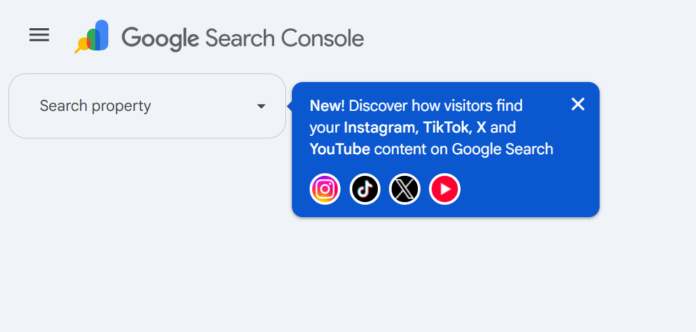
Google’s Search Central blog, authored by Daniel Waisberg and Lizzi Sassman from the Search relations team, confirmed two things happened on the same day.
First, platform properties, which were first announced earlier in July 2026, are now globally available to everyone. This was a staged rollout. If you tried to set this up two weeks ago and could not find it, that friction is gone now.
Second, Google published a companion guide titled “Analyze your social and video platform content performance in Search Console.” This is not a marketing page. It is a genuinely detailed operational guide aimed at content creators, social media managers, and SEO professionals, and it tells you precisely which reports to use and how to read them.
If you manage a website alongside social accounts, and honestly, which brand does not, this changes how you should be thinking about content strategy for the second half of 2026.
Why This Is a Bigger Deal Than It Sounds
Here is the part most coverage of this announcement is going to miss. Platform properties is not just an analytics upgrade. It is a signal about where Google is putting its indexing and ranking attention.
Google does not build dedicated reporting infrastructure for content types it considers a rounding error. When Google ships a purpose-built Insights report, a 24-hour trending filter, and cross-platform comparison mode for social content, it is telling you that social and video content is now a first-class citizen in Search, not a side project.
For anyone working in generative engine optimization or answer engine optimization, this matters even more. AI Overviews and AI-driven answer surfaces increasingly pull from a mix of sources, and short-form video and social posts are part of that mix. If your TikTok caption or YouTube title is the thing an AI Overview references, or the thing that shows up in a “what people are saying” panel, you now have a native Google tool that tells you exactly which search terms triggered that exposure. That is not something third-party social analytics tools have ever been able to show you, because they only see platform-side data, not the Google Search side.
In other words, platform properties closes the visibility gap between your content and Google’s actual search demand data. That gap used to only exist for websites through the standard Performance report. Now it exists for your social accounts too.
The Four Platforms Search Console Supports
As of this rollout, platform properties cover:
- TikTok
- X
- YouTube
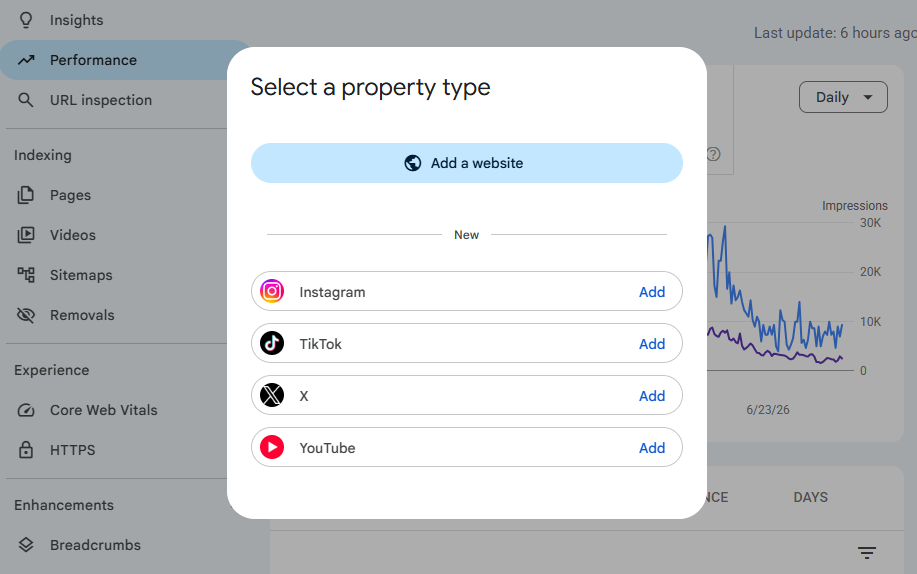
Google’s support documentation is explicit that this is a gradual rollout by feature, meaning some accounts may see it appear before others even now that it is globally available. If you do not see the option immediately, check back within a few days rather than assuming your account is excluded.
Google has also confirmed that if you already claimed your Search profile through Google’s profile verification system, your verified accounts get added automatically as properties. You do not have to do the manual setup twice.
How to Set Up a Platform Property, Step by Step
Setting this up is not complicated, but there are a few details worth getting right the first time so you are not troubleshooting verification issues later.
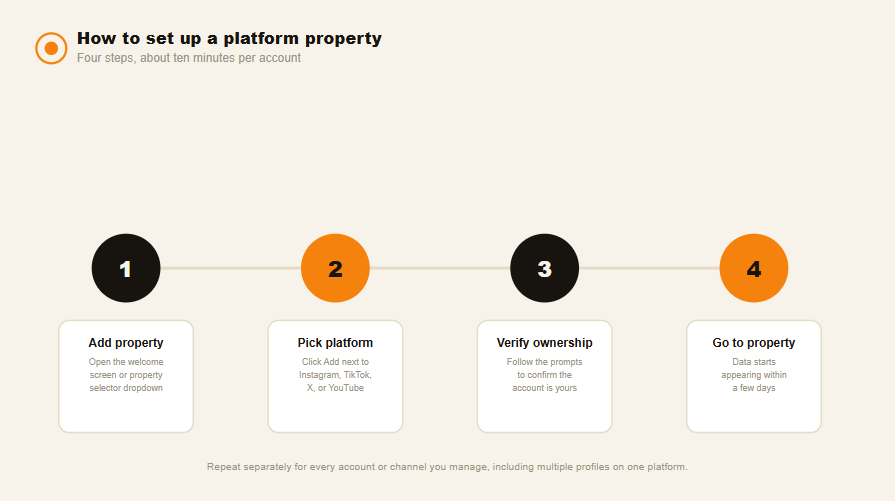
- Go to the Search Console welcome screen, or open the property selector dropdown in the sidebar and click Add property.
- Click Add next to the platform you want to connect from the list of supported options, then follow the verification prompts for that platform.
- Once ownership is verified, you will see a confirmation message. Click Go to property to finish setup.
- Repeat this process separately for every account or channel you manage, including multiple profiles on the same platform. Each one needs its own property.
A few things to know before you start clicking:
Data does not appear instantly. Google’s documentation states it takes a few days for data to populate once verification completes, so do not panic if your Insights report is empty on day one.
Verification can lapse. Because platform properties rely on an external login connection for ownership verification, that connection is checked periodically. If the login expires, your access pauses until you re-verify. The good news is that once you re-verify, your historical data reappears immediately and you do not have to wait through another data collection period.
Platform properties only show Google Search performance, not platform-native performance. This is worth repeating because it trips people up. Search Console will not tell you how many times your video appeared inside the TikTok feed. It only tracks impressions and clicks that happened because someone found your content through Google Search, Discover, or Google News.
The Three Reports You Actually Need to Understand
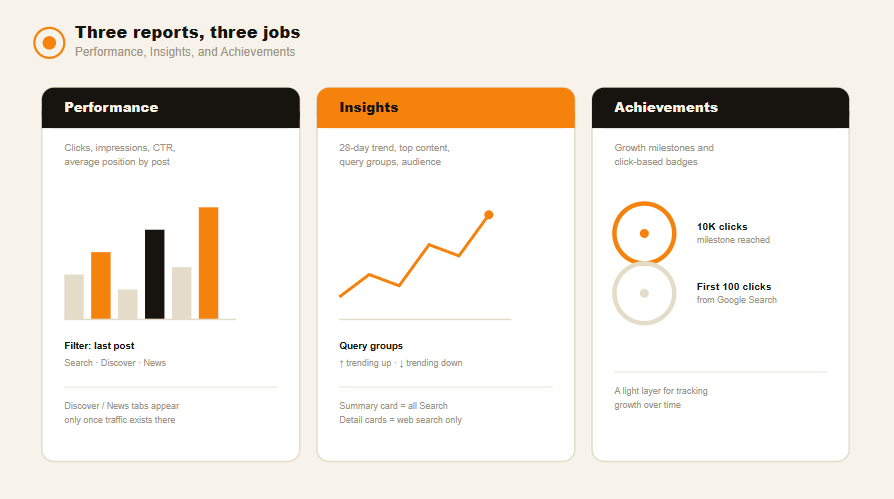
Platform properties come with three report types, and each one answers a different strategic question.
The Performance Report
This is the report SEOs will recognize immediately because it mirrors the standard website Performance report. It shows total clicks, impressions, average click-through rate, and average search position for the property you have selected. You can filter by specific posts to see exactly which pieces of content are pulling the most traffic from Google Search, Discover, and Google News individually.
One nuance worth flagging: Discover and Google News breakdowns only appear in this report if your content is actually receiving traffic from those specific surfaces. If you never see a Discover tab, it means your content has not surfaced there yet, not that the feature is broken.
The Insights Report
This is the simplified, visual layer sitting on top of the raw performance data, and for most content creators this is where you will spend the majority of your time. It gives you four things at a glance:
- A traffic trends overview covering the last 28 days and how clicks are distributed across Search surfaces
- Your top-performing content, meaning which specific posts or videos are driving the most visits from Google
- How people find you, which is the actual search queries people typed before landing on your content
- Where your audience is coming from geographically
There is an important caveat buried in Google’s documentation here. The top summary card on the Insights page includes all clicks across Google, covering web, image, video, and news search. But the detailed lists underneath that summary card only reflect web search traffic. That means the number in your summary card can legitimately be higher than the numbers you see in the breakdown cards below it. This is not a bug and it is not a data discrepancy you need to report. It is just two different scopes of measurement sitting on the same page.
Achievements
This is the gamified layer, tracking growth, milestones, and click-based accomplishments as your platform property builds an audience. It is a nice-to-have rather than a strategic tool, but it is a useful way to keep non-technical team members engaged with the data without overwhelming them with filters and comparison modes.
Five Ways to Actually Use This Data
Having the reports is one thing. Turning them into a repeatable content workflow is where most people fall short. Here are the five specific tactics Google’s new analysis guide outlines, along with how I would apply each one in practice.
1. Mine query groups for content ideas
Inside the Insights report, there is a query groups card that clusters the search terms sending traffic to your content into themes. You can view the top groups, the ones trending up, and the ones trending down. This is genuinely one of the more useful pieces of first-party search demand data creators have ever had access to, because it tells you what your audience is searching for in Google’s own words, not what a third-party keyword tool guesses they might be searching for.
If you run a food account and you notice a query group trending up around a specific ingredient or dietary trend, that is your next caption, your next hashtag cluster, and possibly your next video topic, all validated by actual Google Search demand rather than a hunch.
2. Catch trending content within 24 hours
The Performance report includes a 24-hour filter. This lets you catch a sudden spike in search traffic to a piece of content you posted yesterday, well before it would show up as a meaningful trend in a standard 28-day view. If you see a new video trending up in that 24-hour window, that is your cue to cross-promote it immediately on another platform while the search interest is still active, rather than waiting for the weekly recap to notice it.
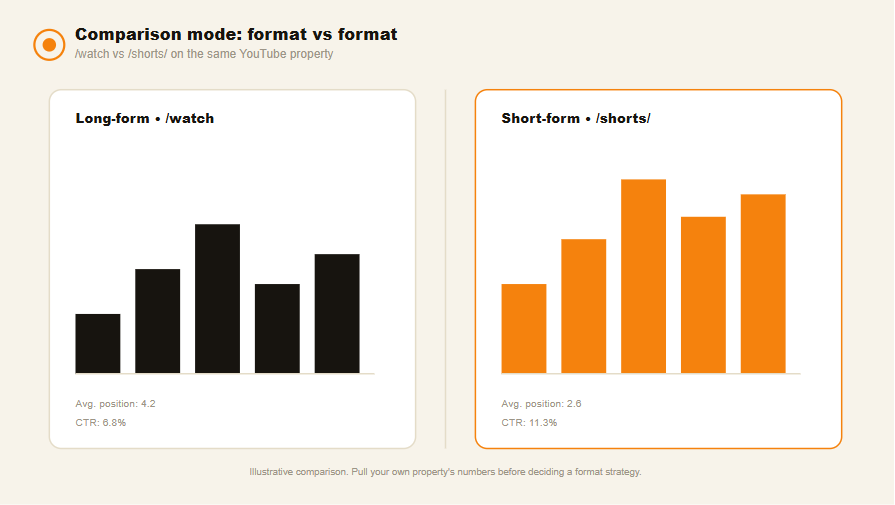
3. Compare content formats head to head
You can use comparison mode to pit one URL pattern against another. Google’s own examples are worth stealing directly:
- On YouTube, compare URLs containing /watch against URLs containing /shorts/ to see whether your long-form or short-form content is winning more search visibility.
- On Instagram, compare URLs containing /p/ against URLs containing /reels/ to see the same battle between static posts and reels.
This turns a subjective debate your team has probably had a dozen times, short-form versus long-form, into a data-backed decision based on actual Google Search click-through and position data.
4. Export and compare across platforms
If you are running the same content idea across YouTube, Instagram, X, and TikTok, you can export performance data from each property into a spreadsheet and compare side by side. Google’s suggested workflow is to click into a specific URL inside a platform property, export the filtered data, and repeat that across every property you manage. It is a manual process today, but it is the only way to see, in one place, which platform your audience actually prefers to discover you through on Google, as opposed to which platform your team simply posts to most often out of habit.
5. Use annotations to prove your edits worked
Search Console lets you add annotations, which function as bookmarks tied to a specific date in your performance data. If you rewrite a YouTube title or tweak a TikTok caption, drop an annotation on that date. Then you can watch whether search performance shifts afterward and attribute the change with actual before-and-after data instead of guessing whether the edit helped.
Where This Fits Into a Real Content Strategy
If you want a repeatable system rather than a one-time audit, here is the cadence I would build around this feature.
Weekly, check the 24-hour filter across your top platform properties to catch anything spiking that deserves a same-day cross-promotion.
Every two weeks, pull the query groups card and map trending-up themes against your upcoming content calendar. If a theme is trending down, that is a signal to retire or refresh that angle rather than keep producing more of it.
Monthly, run the cross-platform export and comparison exercise. Look at which platform is actually converting Google Search demand into clicks most efficiently, not just which platform has the most followers. Followers are a vanity metric. Search click-through from a real, high-intent query is not.
Whenever you make an editorial change to an existing high performer, whether that is a rewritten title, a new thumbnail, or an updated caption, drop an annotation immediately so you have a clean before-and-after comparison later.
This is the same discipline good SEOs already apply to website content. The only difference is that until this rollout, nobody had the equivalent tooling for social and video content. Now you do, and the brands that build this into their weekly workflow early are going to have a real data advantage over the ones treating this as a nice-to-have dashboard they check once a quarter.
Common Mistakes to Avoid
A few misconceptions are already circulating, so it is worth addressing them directly.
Platform properties are not a replacement for platform-native analytics. TikTok Analytics still tells you about in-app discovery, watch time, and completion rate. Search Console only tells you what happens when Google Search sends someone to your content. You need both, and they answer different questions.
Do not assume empty data means the feature is broken. New properties take a few days to start populating, and if your property is new, your date range will only show data from the point collection actually started, not before.
Do not confuse the summary card total with the breakdown card totals inside the Insights report. As covered above, the top card includes all Google Search surfaces while the detail cards below it are scoped to web search only. Treat that difference as intentional, not as an error worth chasing.
Finally, do not skip the re-verification step if your connection lapses. If an external login token expires, your data access pauses. Re-verifying restores it instantly along with your historical data, so there is no reason to delay.
Frequently Asked Questions
What is a platform property in Google Search Console?
A platform property is a Search Console property type that tracks how a specific TikTok, Instagram, X, or YouTube account performs on Google Search, Discover, and Google News, separate from a standard website property.
Which platforms does Search Console support for platform properties?
As of the July 2026 global rollout, Search Console supports Instagram, TikTok, X, and YouTube.
Do I need to set up a platform property for every account I manage?
Yes. Each account or channel, including multiple profiles on the same platform, needs to be added and verified as its own separate property.
How long does it take for data to appear after setup?
Google states it typically takes a few days after verification for performance data to start appearing in the reports.
Does Search Console show how my content performs inside the TikTok or Instagram app itself?
No. Platform properties only report performance on Google Search, Discover, and Google News. In-app discovery metrics still come from each platform’s native analytics tools.
What happens if my platform property loses its verification?
Access to your reports pauses until you re-verify ownership. Once re-verified, your historical data and reports become available again immediately, with no new waiting period.
The Bottom Line
Google just handed creators and brands a first-party window into how Google Search actually treats their social and video content, and most of the industry has not noticed yet because it landed as a documentation update rather than a splashy product launch. That is exactly the kind of gap worth exploiting early. If you are running content across TikTok, Instagram, X, or YouTube and you are not tracking this data yet, that is the highest-leverage ten-minute task on your list this week.